
The Digital Tax: How Kitchener-Waterloo’s Tech Lifestyle is Impacting Your Eyes
Living and working in the "Silicon Valley of the North" comes with many perks, but it also comes with a heavy "digital tax" on our vision. Whether you're working out of the Tannery, a home office in Doon, or commuting to a tech giant in Kitchener-Waterloo, your screens are likely demanding more from your eyes than ever before. Since we have opened up our optometry practice in 2023, I’ve noticed more and more patients coming in complaining of headaches, eye strain, end-of-day blur, that only seem to disappear on the weekends or on vacation.

Tired, sore eyes after a long work day in-front of screens.
1. The Constant Workout: Accommodative Eye Strain
Most people don't realize that seeing clearly is an active muscular process. Accommodative eye strain occurs when the ciliary muscles in your eyes are forced to stay in a state of constant contraction to focus on near objects—like your dual-monitor setup or your phone.
When you stare at a screen for hours, these muscles can "lock up," making it difficult to refocus when you finally look away. This is often why your distance vision might feel blurry after a long coding session or a marathon of meetings.
Symptoms to watch for:
Difficulty shifting focus between your screen and the room.
A "heavy" feeling or dull ache around the brow.
Increased frequency of headaches toward the end of the workweek.
2. The Blink Rate Problem: Why Your Eyes Feel Like Sandpaper
Dry eye is perhaps the most common complaint among tech professionals. Under normal circumstances, we blink about 15–20 times per minute. However, research shows that when we focus on a digital screen, our blink rate drops by up to 66%.
When you don't blink, your tear film evaporates, leaving your cornea exposed and irritated. In our local climate—especially during those dry Kitchener-Waterloo winters with the furnace running—this problem is amplified.
Expert Tip: It’s not just about the quantity of blinks, but the quality. Many of us perform "partial blinks" when looking at computers, meaning the Meibomian glands (the oil-producing glands in your eyelids) aren't being squeezed enough to keep the eye lubricated. I often recommend during hours outside of work to actively work on blink exercises, ensuring each blink has good contact between the upper and lower eyelids. I also often recommend Bruder heat mask and Labtriactiv preservative-free artificial tears to help manage dry eye symptoms. For more severe cases, I would recommend dry eye treatments, such as radiofrequency and IPL.
3. The Blue Light Debate: Circadian Rhythms and Retinal Health
Blue light (High-Energy Visible light) is everywhere, including the sun, but our proximity to digital devices means we are getting a concentrated dose daily.
While the long-term impact on the retina is a topic of ongoing research, we know for certain that blue light suppresses melatonin production. This is why late-night "doomscrolling" or finishing a project at 11:00 PM in a dark room can leave you feeling wired yet exhausted, throwing off your sleep cycle and affecting your focus the next day. A blue light blocker in prescription glasses has been shown to be effective in improving sleep hygiene.
4. The 20-20-20 Rule
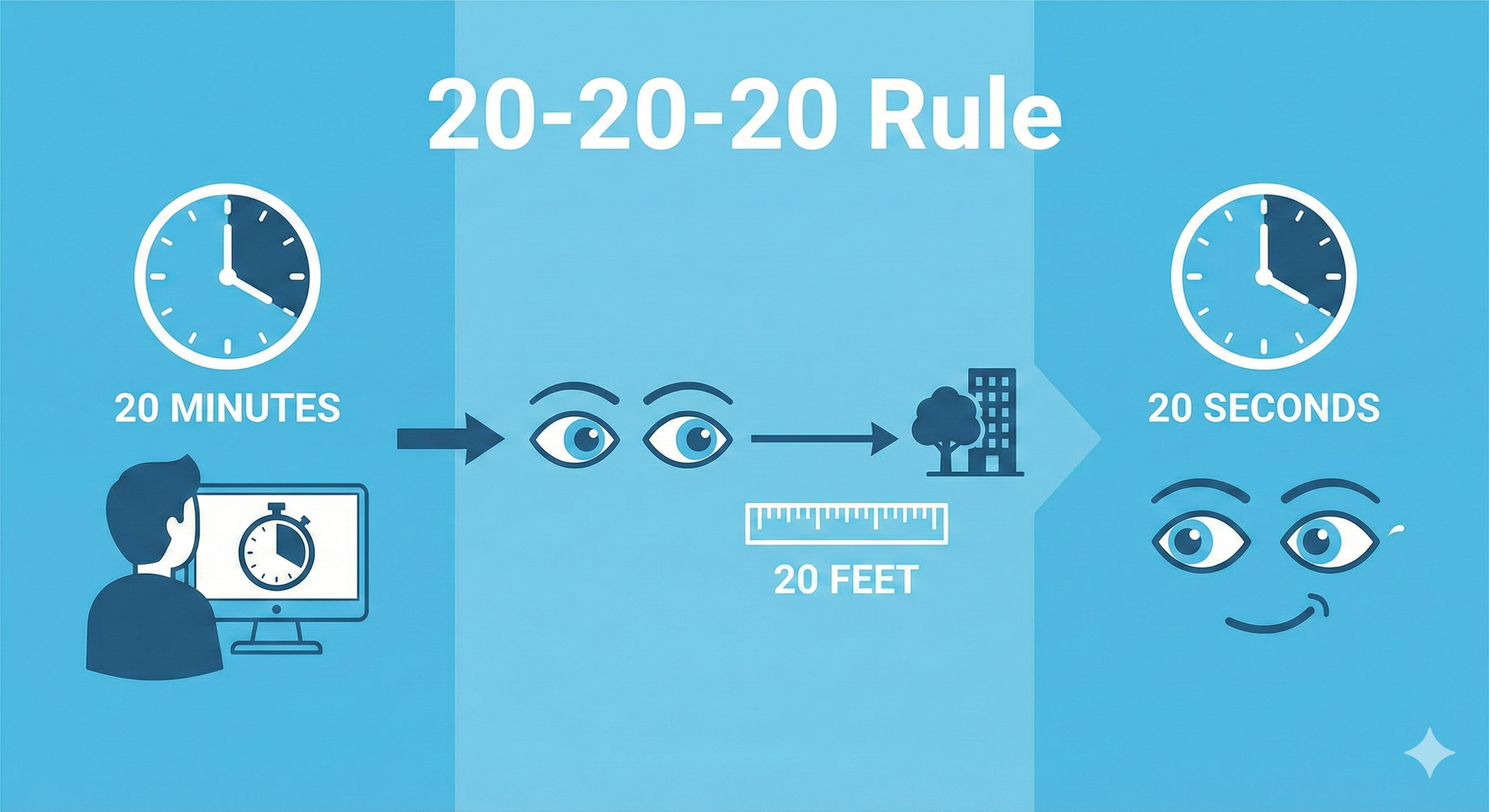
Easy to remember, hard to remember to do.
The best tool in your kit is free and takes only 20 seconds.
Every 20 minutes...
Look at something 20 feet away...
For at least 20 seconds.
This simple habit breaks the accommodative "lock" and encourages a full, healthy blink.
5. The "Kitchener Tech" Home Office Checklist
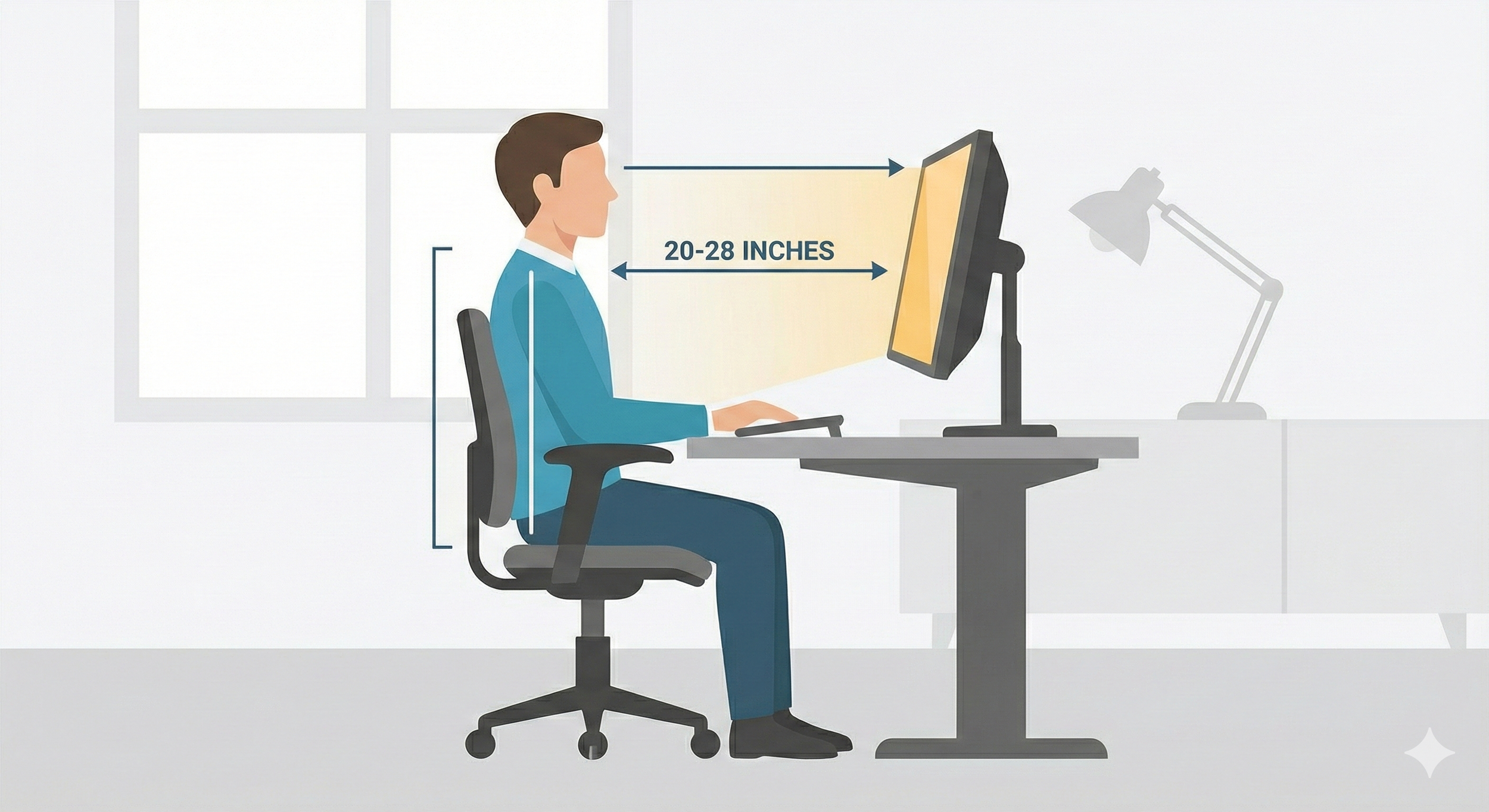
The ideal workstation set-up.
In a city of remote and hybrid workers, the "home office" is often a kitchen table or a basement desk. If you want to reduce accommodative strain, your ergonomics matter as much as your prescription.
The "Arm’s Length" Rule: Your monitor should be about 20 to 28 inches away from your eyes. If you have to lean forward to read code, your monitor is too far (or your font is too small!).
Eye Level vs. Screen Level: The top of your screen should be at or slightly below eye level. This ensures you are looking slightly downward, which exposes less of your eyeball surface to the air, reducing tear evaporation.
Check for Glare: Kitchener’s beautiful loft-style offices often have large windows. If you see a reflection of a window or a lamp on your screen, your eyes are working double-time to "see through" it. Use a glare filter or adjust your desk angle.
The "Warmth" Factor: Switch your monitor settings to a warmer color profile (often called "Night Shift" or "Blue Light Filter") during work hours, not just at night.
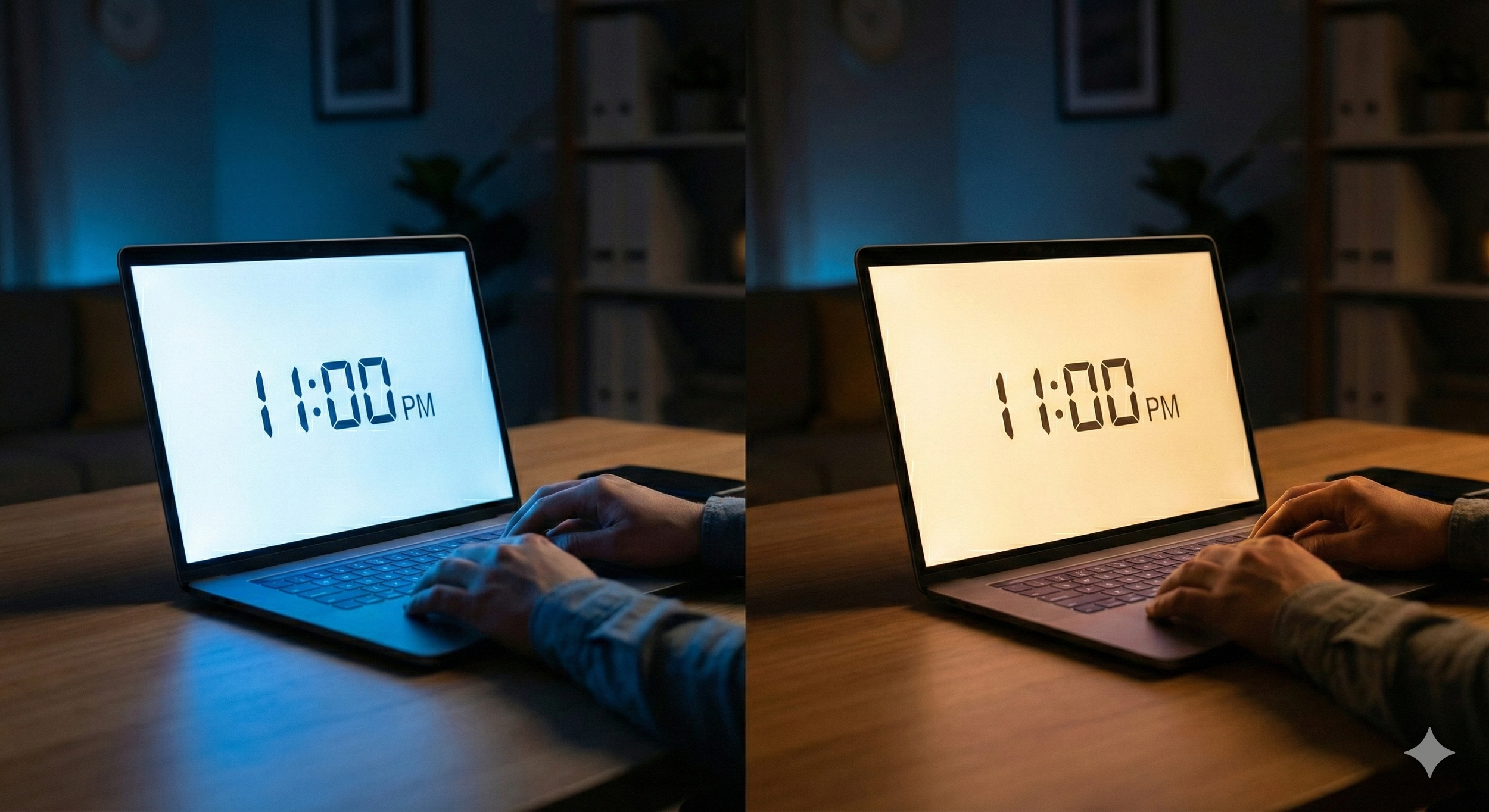
Most digital devices have a built-in night mode feature.
Frequently Asked Questions (FAQ)
Q: Do blue light glasses actually work, or are they just hype? A: While they aren't a "cure-all," many Kitchener-Waterloo professionals find they reduce the harshness of LED screens. The most effective "blue light" solution is often a high-quality anti-reflective coating on a prescription lens that is specifically calculated for the distance of your computer screen. I find that a non-prescription pair of blue light glasses significantly less effective than one that is made prescription, because we can prescribe to help alleviate accommodative eye strain.
Q: How often should a software developer get an eye exam? A: If you spend more than 6 hours a day on screens, an annual or biennial exam is recommended. Even a tiny, uncorrected change in your vision can lead to significant headaches and fatigue when multiplied by thousands of blinks a day.
Q: Can digital eye strain cause permanent damage? A: Generally, digital eye strain is temporary. However, chronic dry eye—if left untreated—can lead to inflammation or scarring of the corneal surface. It’s better to address the symptoms early through lifestyle changes and professional guidance.
Q: Is "Dark Mode" actually better for my eyes? A: It depends on your lighting! In a dark room, Dark Mode reduces glare. However, in a bright office, high-contrast black text on a light background is often easier for the eye to focus on, reducing accommodative effort. I would recommend easily accessing between dark and light mode to adjust to your own needs.
Conclusion
Your eyes are your most important "hardware." If you are feeling the effects of digital eye strain, it might be time to look beyond your screen settings and check in on your ocular health. Being a nerd myself, I love being part of the Kitchener-Waterloo tech community. I want to make sure your vision stays as sharp as your skills. Stop by the clinic for an eye exam if you want to chat more about how we can help you feel more comfortable in your setup.
Ready for a Vision Refresh?
If you're experiencing persistent dry eye or strain, let's chat. We specialize in helping the Kitchener-Waterloo tech community keep their eyes healthy in a digital world.
Dr. Jason Chau, optometrist at Innovation Eye Clinic
226-929-8166
1B-60 Charles St. W., Kitchener, ON, N2G 0C9

Meet Dr. Jason Chau
Dr. Jason Chau is passionate about helping patients see the world clearly through innovative, non-surgical solutions. After graduating from the University of Waterloo School of Optometry, he honed his expertise in medical research at the Centre for Ocular Research and Education (CORE). Today, he translates that advanced knowledge into practice, specializing in Ortho-K and customized treatments for dry eye. For Dr. Chau, eye care isn't just about a prescription—it's about using the latest science to improve your quality of life.
